Doc
Pages
Usually any post created in Sugo renders many more things than just the bare bones content. Some of these include the metadata (authors, time to read and so on), related posts, share options, tags and categories etc . But sometimes we want simple pages and not posts and don’t want to show any of these things. To achieve this is very simple, just add type=“page” in the frontmatter of your markdown file.
| |
The following images depict how the same content is rendered differently based on whether a markdown file is a post or a page. You can manually set something to post in the frontmatter but it is assumed by default.
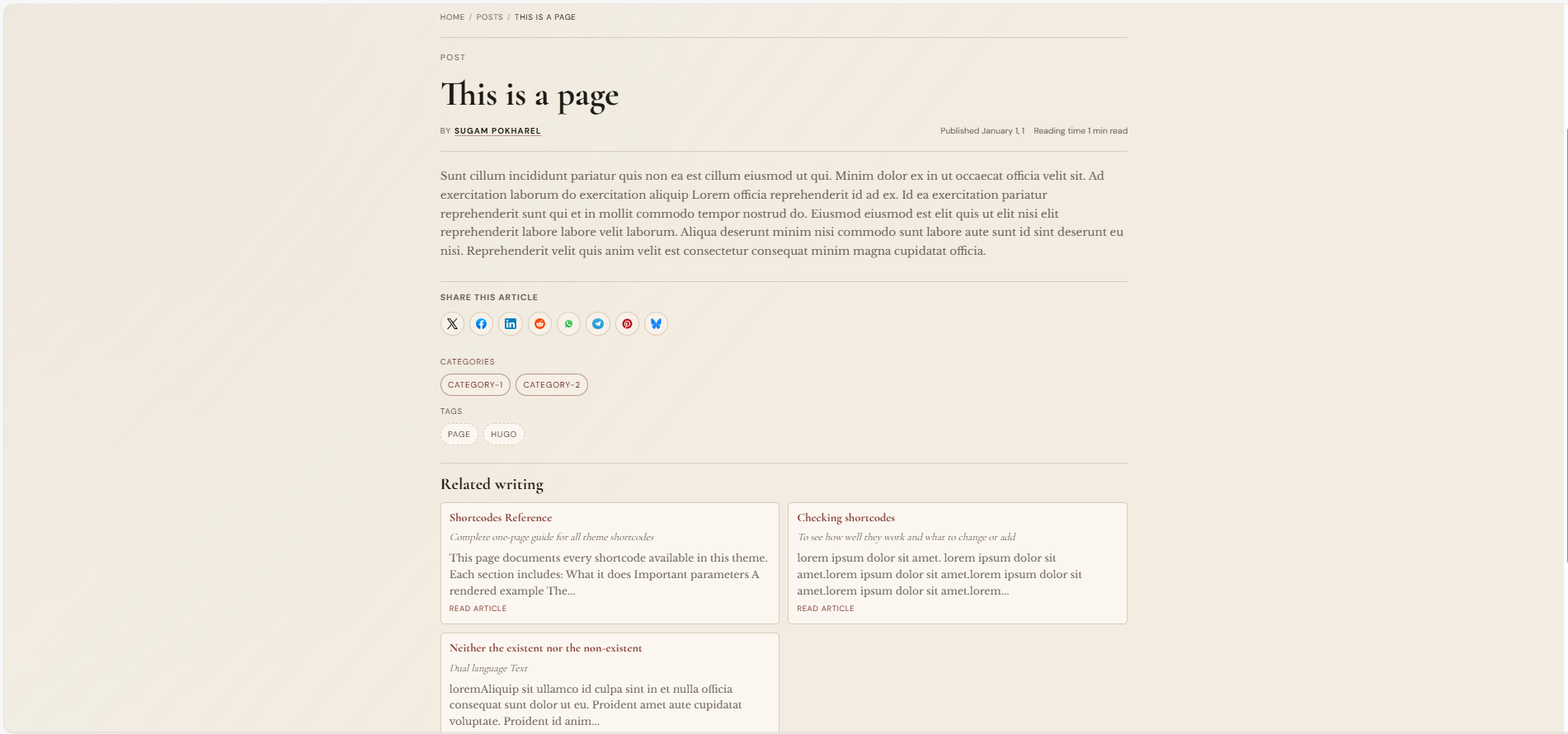
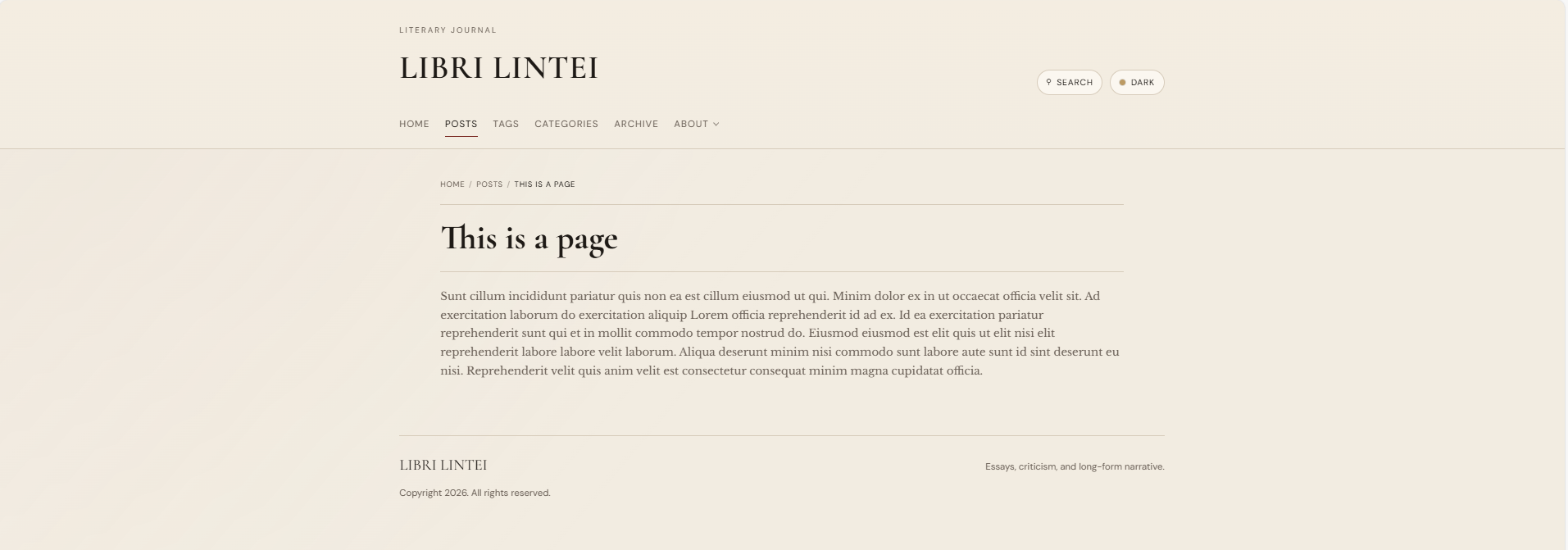
Difference between post and page
Even if you have set a markdown file as a page, they will still appear in the list pages. So, if you set a markdown file in \posts to page, it will still appear as a card in the homepage or posts page like this.
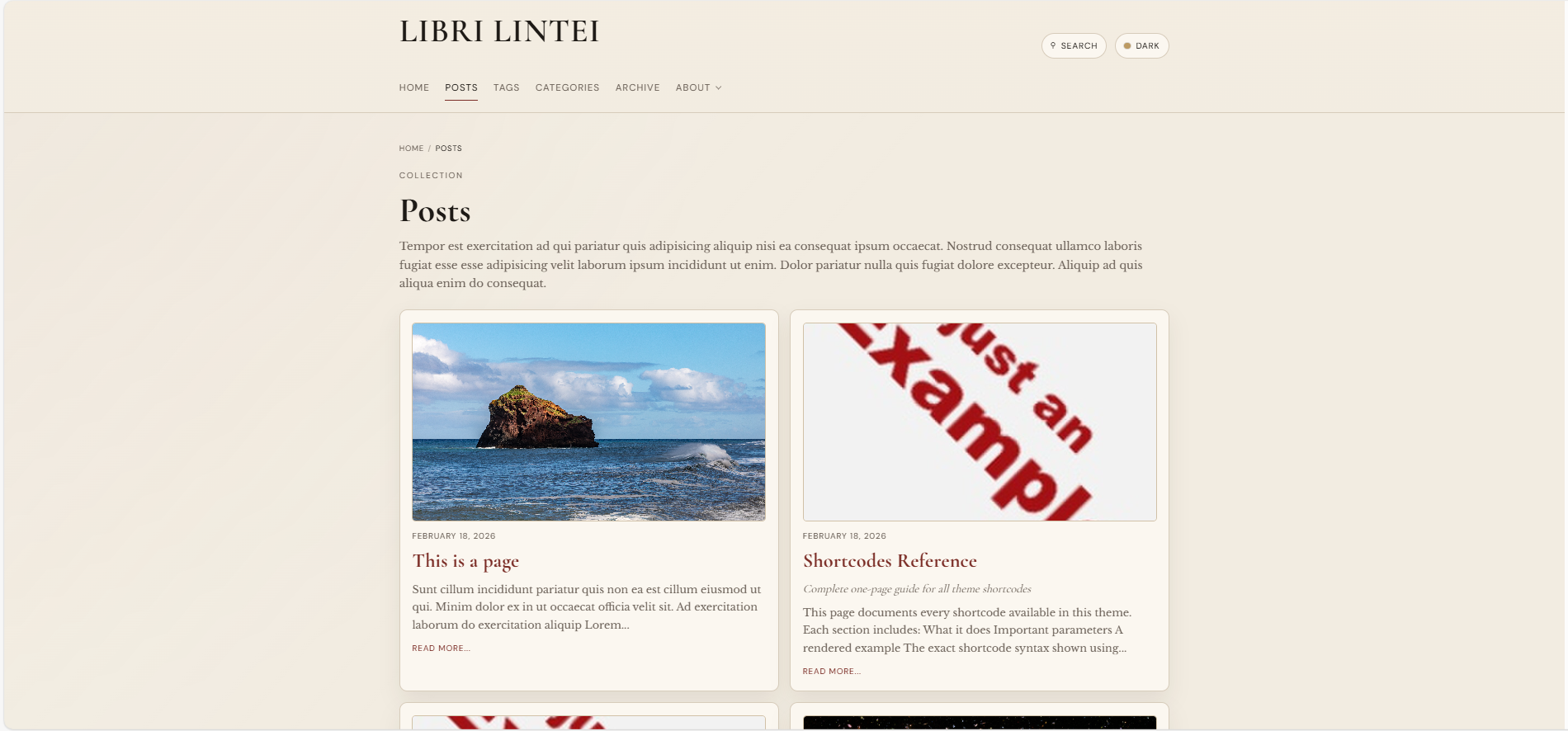
Sometimes you may want this to happen but usually it is not optimal to have pages appear in the list of posts. To remove the pages from the lists, add this to the frontmatter.
| |
You can still access the page at its usual url or link to it elsewhere or add it to the navbar but it will now never appear in any list page.